Before & after
Your schedule.
Free to work with.
Move your scene breakdowns from Movie Magic into a spreadsheet you can edit, share, and use across your production.
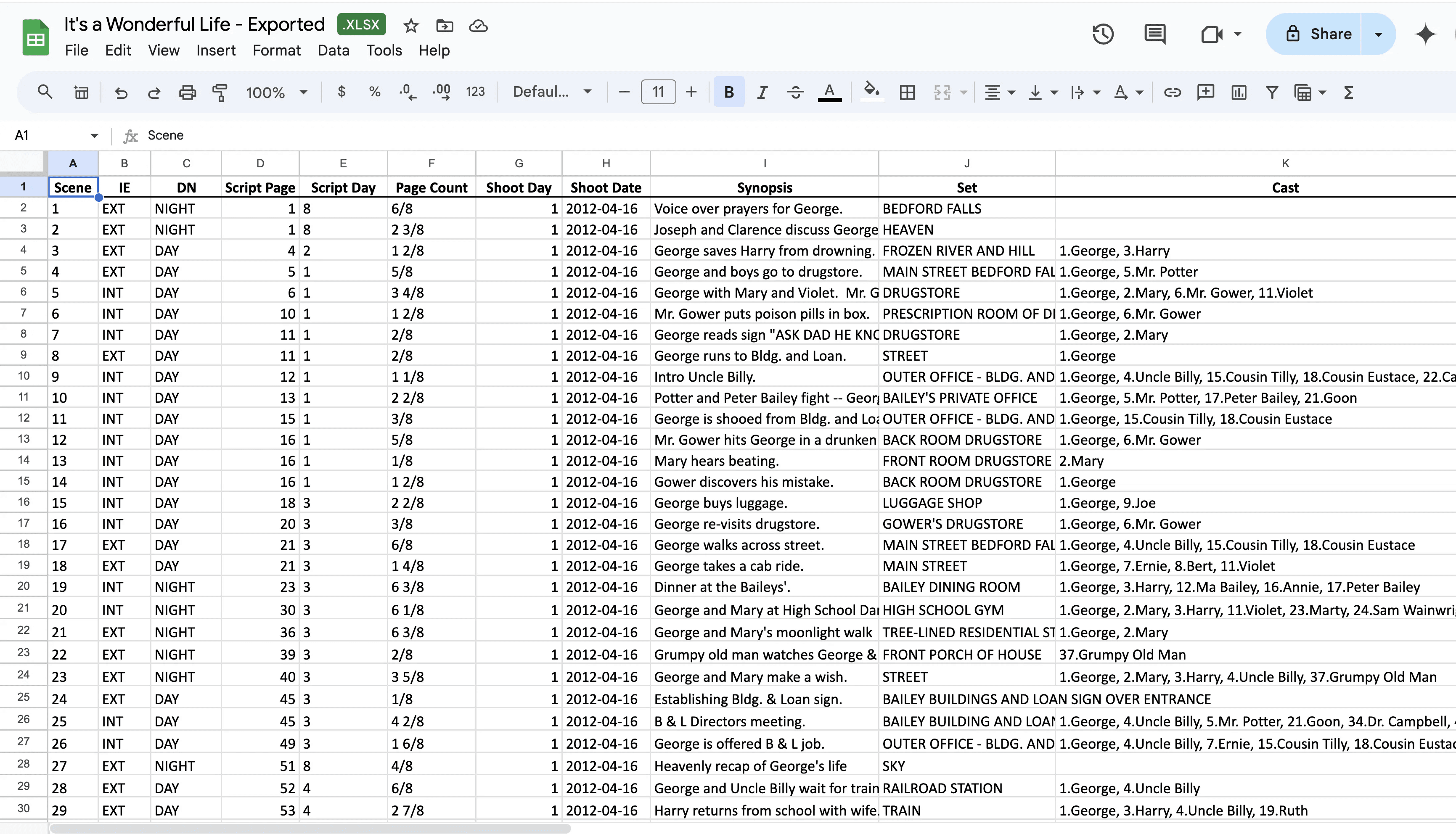
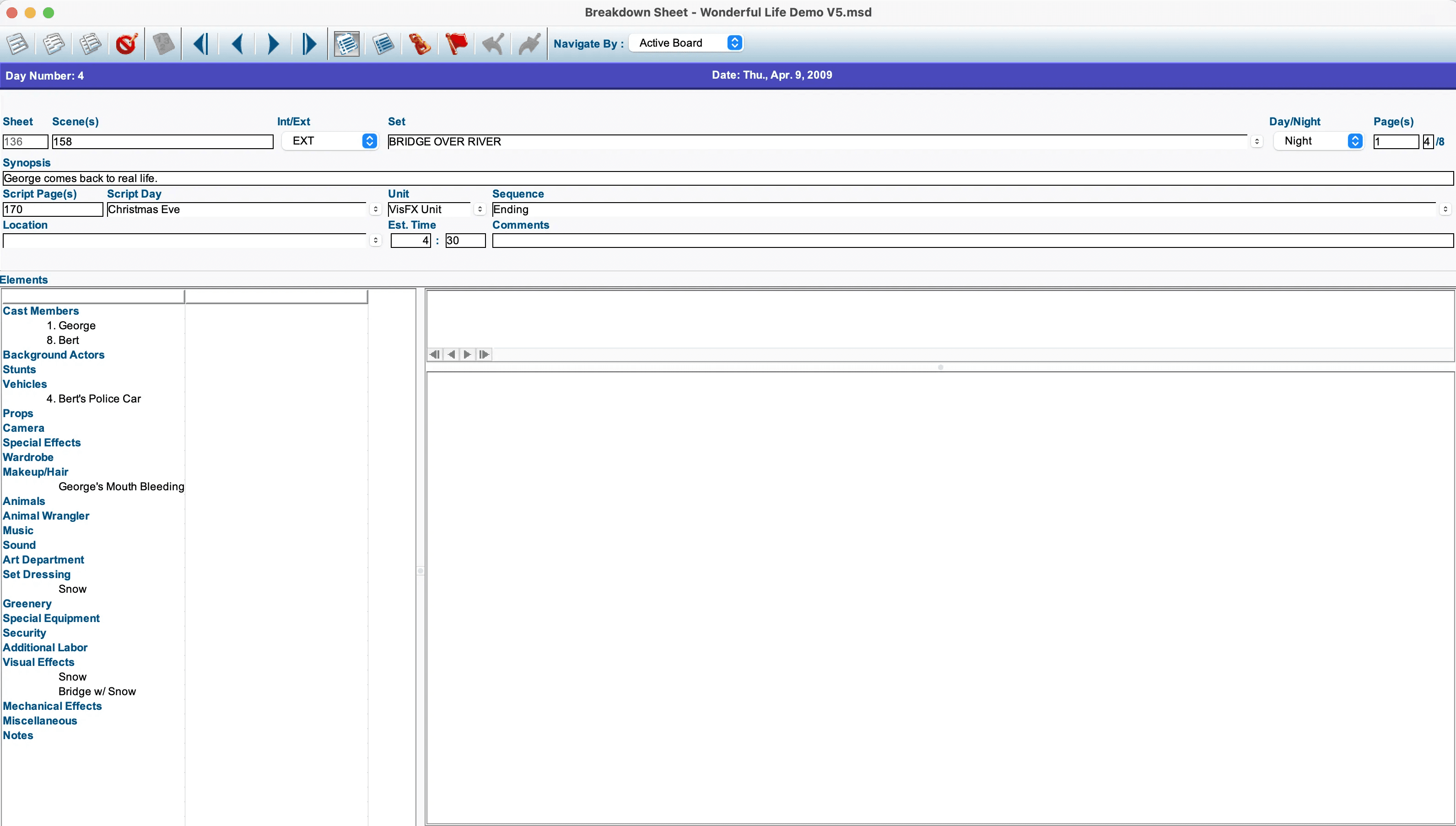
Drag the divider to compare the original and the export.
Three simple steps
Three steps.
One clean spreadsheet.
From Movie Magic Scheduling to Excel in under a minute.
- 1
Upload your file
Drag and drop your Movie Magic Scheduling .mxl or .mxls file into the exporter — nothing to install.
- 2
Customize your output
Choose which columns to include, set your preferred sort order, and pick your grouping options.
- 3
Download your Excel
Your perfectly formatted .xlsx file is ready in seconds. Open it in Excel, Google Sheets, or any spreadsheet app.
Why productions choose us
Everything you need
from an exporter.
Instant
Results in seconds
Start seeing your MMS data in Excel in just a few clicks — it couldn't be any faster.
Accurate
Every detail preserved
Maintain data accuracy with reliable conversion. Much more accurate than cut-and-pasting!
Easy to use
Simple, intuitive interface
You're about to really LOVE scheduling software in your life!
Custom output
Built around your workflow
Download your data as both an Excel file and a JSON file — perfect for any tricky uses and importing into other softwares/tools.
Unrivaled leadership
The industry standard
We are the very first offering this service. WHY? Because we invested hundreds of hours to solve this complex problem!
Reliable support
We're here when you need us
If you find any issues, we're here to help! You can chat with us through the chat bubble or email support@sethero.com.
The walkthrough
See the MMS Exporter
in action.
A quick walkthrough of how to turn your Movie Magic Scheduling file into a clean Excel export.
Integrations
Your schedule.
More places to use it.
Import your Movie Magic schedules into other film & TV scheduling software. Our tool integrates with Cinapse for seamless importing.
Want to integrate with us? Request an integration

Privacy at the core.
Just like all our services, we've started with privacy in mind. Your data is processed entirely on our Enterprise servers — no AI or third-party “black boxes” used.
Once your conversion is completed, we give you 1 hour to download the files before your files are forever deleted from our servers — irrecoverable even by us.
Trusted by production teams at:







Simple pricing
One export or unlimited.
Your call.
Start with a single export, or go unlimited for a full year.
Single Export
Perfect for a one-off project or to try it out.
$10one-time
- Single MMS export
- Unlimited page count
- Custom columns included
- Download as .xlsx and .json
Unlimited
Most popularFor productions that schedule often. Unlimited exports, one flat price.
$35per year
- Unlimited MMS exports
- Unlimited page count
- Custom columns included
- Download as .xlsx and .json
Questions? Contact our team — we reply fast.
Start your first conversion.
Upload your Movie Magic Scheduling file and get a clean Excel export. No software to install.
FAQ
Questions?
Answers.
Need a hand with your export? Our team is here to help.
Yes! To view example files, click the links below:
Currently, our tool allows you to export all your scene breakdown data, including scene information and all elements tagged in each scene. It also includes basic schedule data, such as shoot day and shooting order.
This tool does not currently allow exporting other MMS data / reports to Excel, such as DOODs, one-liners, or element lists.

Good call, good day
Switch to SetHero today and start sending call sheets that put you back in control.